> For the complete documentation index, see [llms.txt](https://docs.simflypad.com/v1/llms.txt). Markdown versions of documentation pages are available by appending `.md` to page URLs; this page is available as [Markdown](https://docs.simflypad.com/v1/getting-started/sign-up-a-new-simfly-pad-account.md).
# Sign up a new SimFly Pad Account
To activate SimFly Pad’s premium panels or use cloud synchronization features, you first need to register a SimFly Pad account. Here are the detailed steps.
## Register
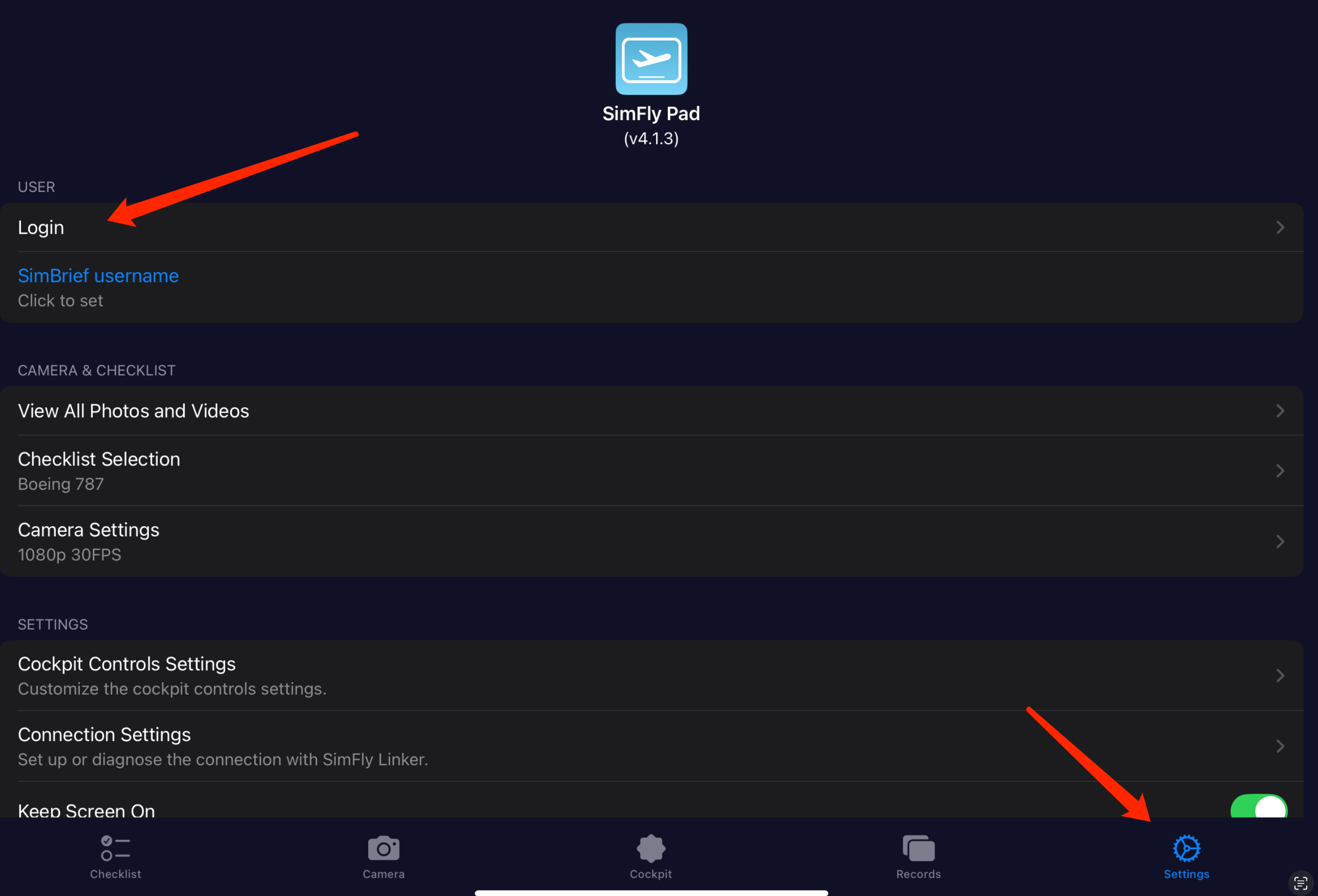
1\. Open SimFly Pad, go to the **Settings** page, and tap the **Login** button at the top.
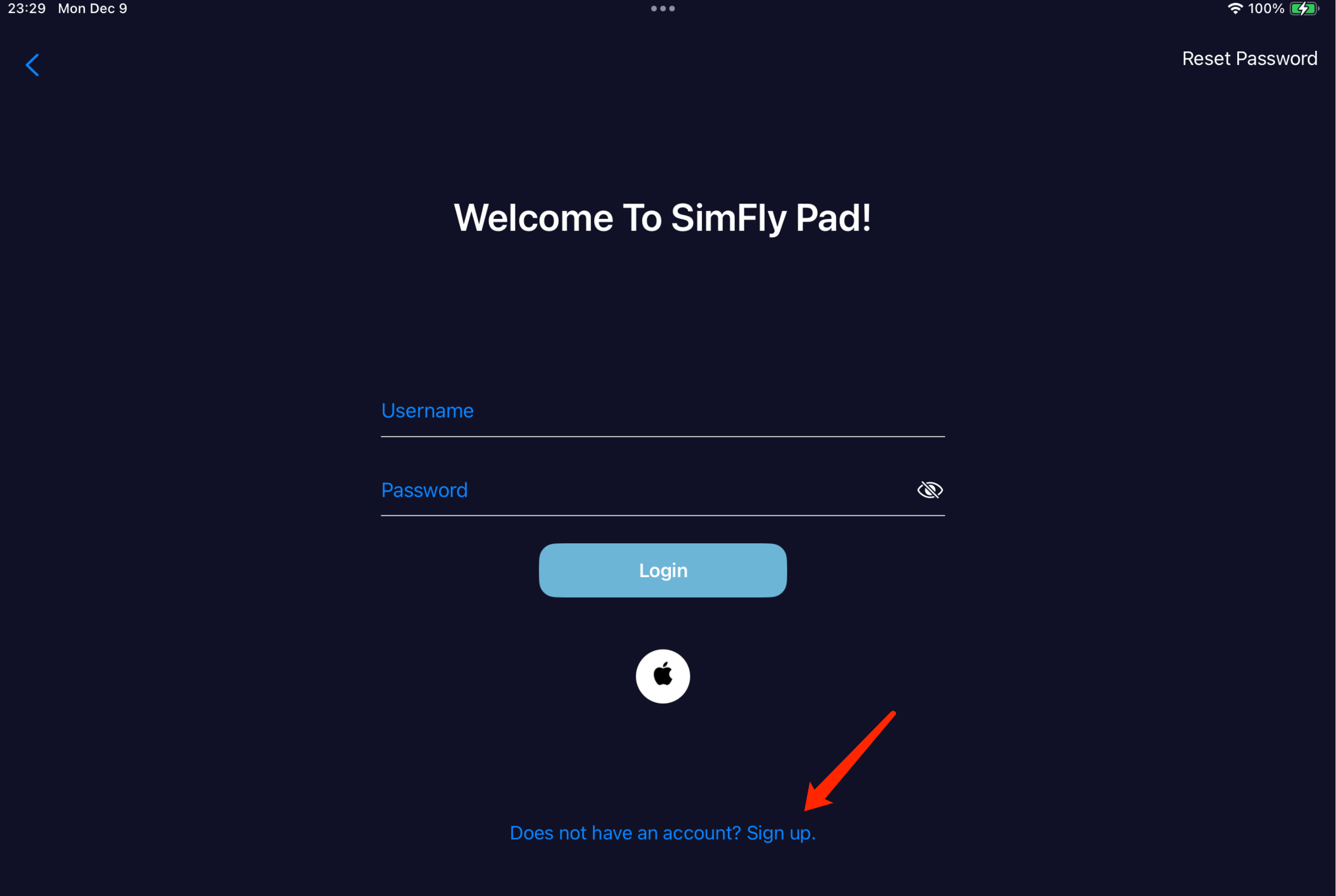
2\. On the login page, tap “**Does not have an account? Sign up.**” at the bottom to switch to the registration page.
3\. Enter your username and password to complete the registration.
## Apple ID Login
If you are an iOS user, you can also click the Apple button at the bottom of the registration page to sign up using your Apple ID.
{% hint style="warning" %}
If you sign in with your Apple ID and also want to use an Android device, tap “MORE OPTIONS” in the top right corner of the Android login page and select “Sign in with Apple ID.” For convenience, we recommend registering using the username and password method.
{% endhint %}
### Sign in with Apple ID on the Windows Version of SimFly Pad
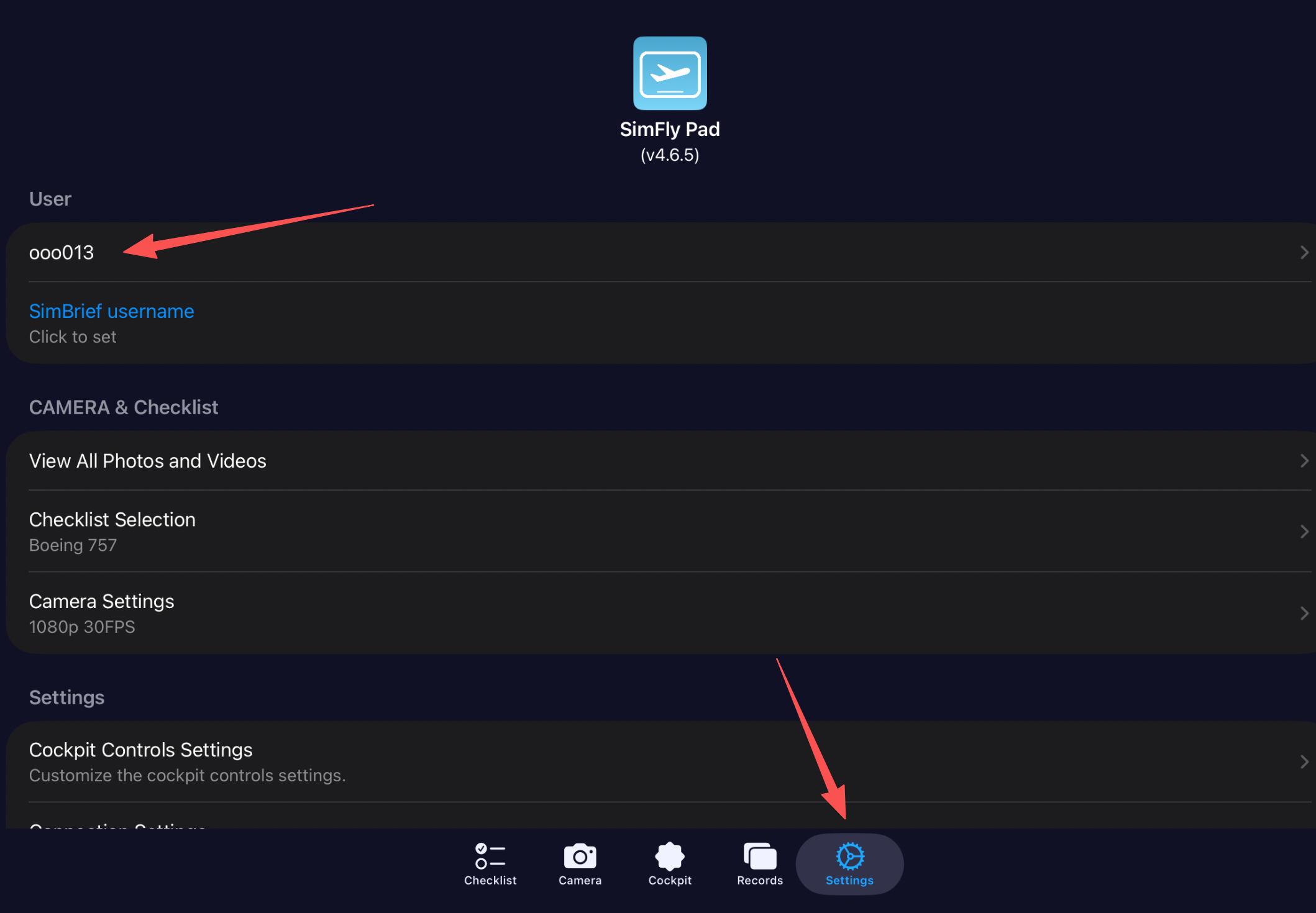
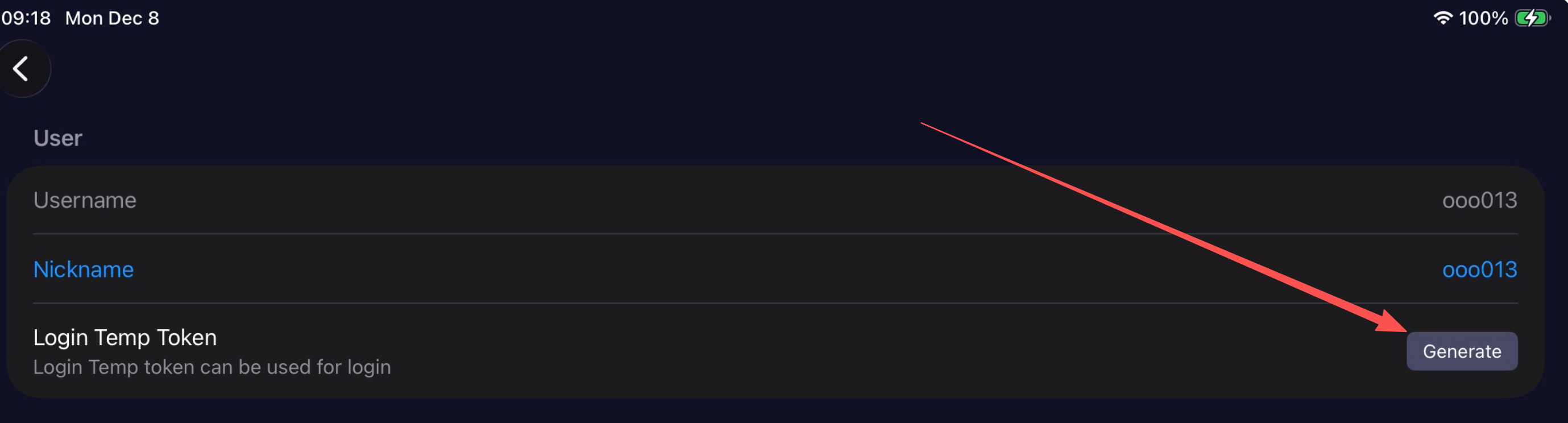
If you are using the Windows version of SimFly Pad, Apple ID sign-in is not supported yet. Please go to a device where you are already signed in with Apple ID, open SimFly Pad → Settings → click your username → click “Generate” on the “Login Temp Token” row.
**On SimFly Pad for iOS**
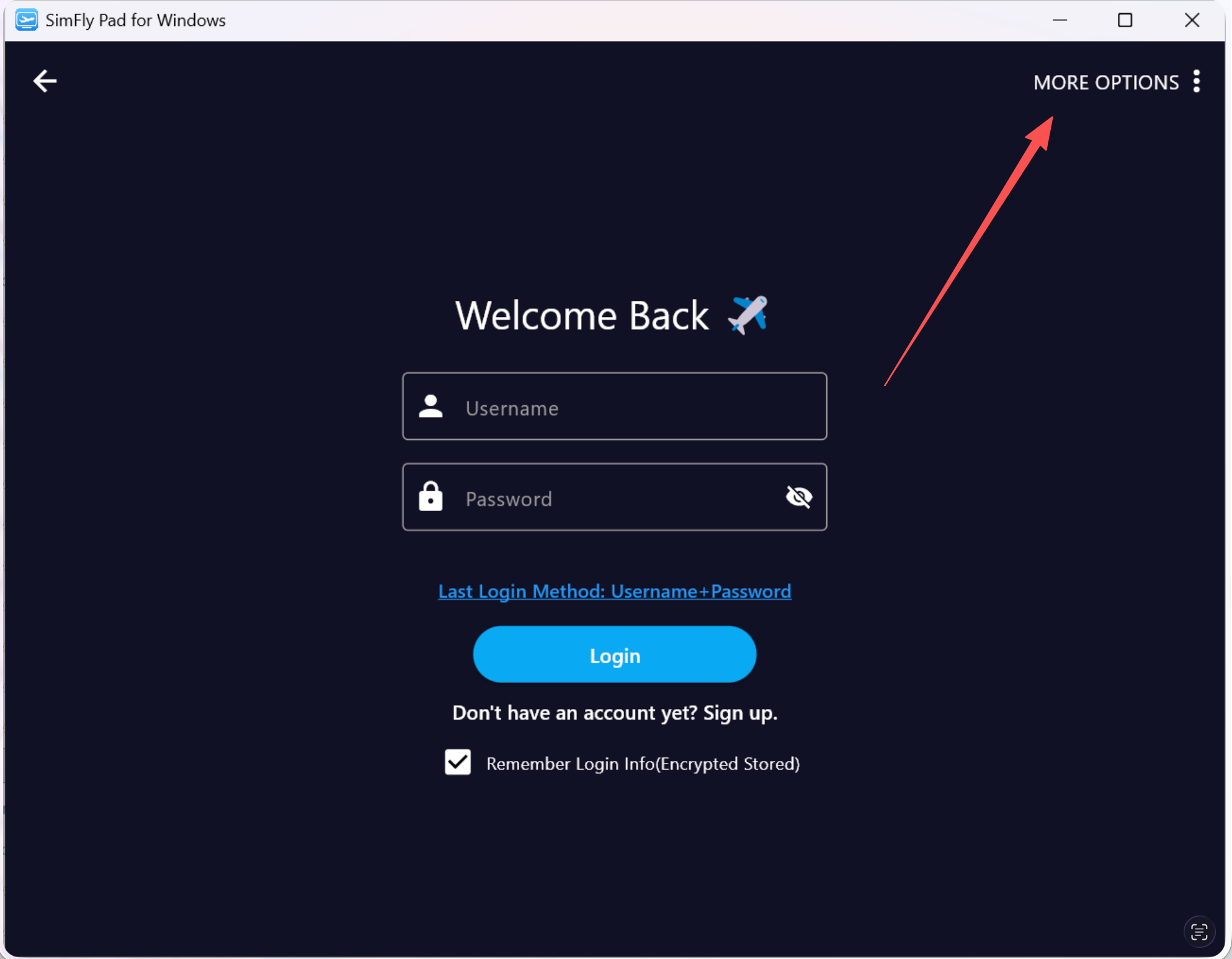
**On SimFlyPad for Windows**
On the login page, click "MORE OPTIONS", select "Use Login Token.", and then enter the temporary login token generated in the previous step.